Artwork guide · templates
Templates
A template is the truth. Design inside it and what's on your screen is what comes off the press. Ignore it and we're guessing.
What a template is
A template is a blank file at the exact finished size of the product, with the bits you can't see on the shop floor already drawn in: where it gets cut, where it wraps a frame, where a pole goes, where the stitching runs.
Print isn't a screen. Fabric gets stretched, boards get trimmed, sleeves get sewn. Every one of those steps moves the edge of your design by a few millimetres, and on a five-metre wall a few millimetres becomes a few centimetres. A template shows you where the edges will actually land so you can keep the logo off them.
Each of ours is a layered PDF, plus AI and InDesign versions. The guide layer holds the marks. You design on the artwork layer, hide the guides, export. Done.
The five words on every template
- TrimWhere the product finishes. The size you ordered.
- BleedThe extra strip past trim. Backgrounds run out here so nothing shows white if the cut drifts.
- Safe zoneInside trim. Anything that matters (logos, text, faces) lives here.
- WrapFabric only. The part that folds round the frame edge and is never seen straight on.
- Sleeve and hemFlags only. The channel the pole slides down and the stitched outer edge.
How to use one
- Download the pack for your size. Not "roughly that size". The 200cm wall and the 240cm wall are different files.
- Design on the artwork layer. Backgrounds go all the way out to the bleed edge. Logos and text stay inside the safe zone. Leave the guide layer alone.
- Hide the guides and export. PDF, at full size if your software allows it. If the guides are still visible, they will print. A quick look at the export before you upload saves everyone a phone call.
Working in Canva or something without layers? Set your canvas to the full template size including bleed, keep the important stuff well inside, export at 300dpi. Upload it with a note saying which product and size and we'll drop it into the template for you.
Stretch walls
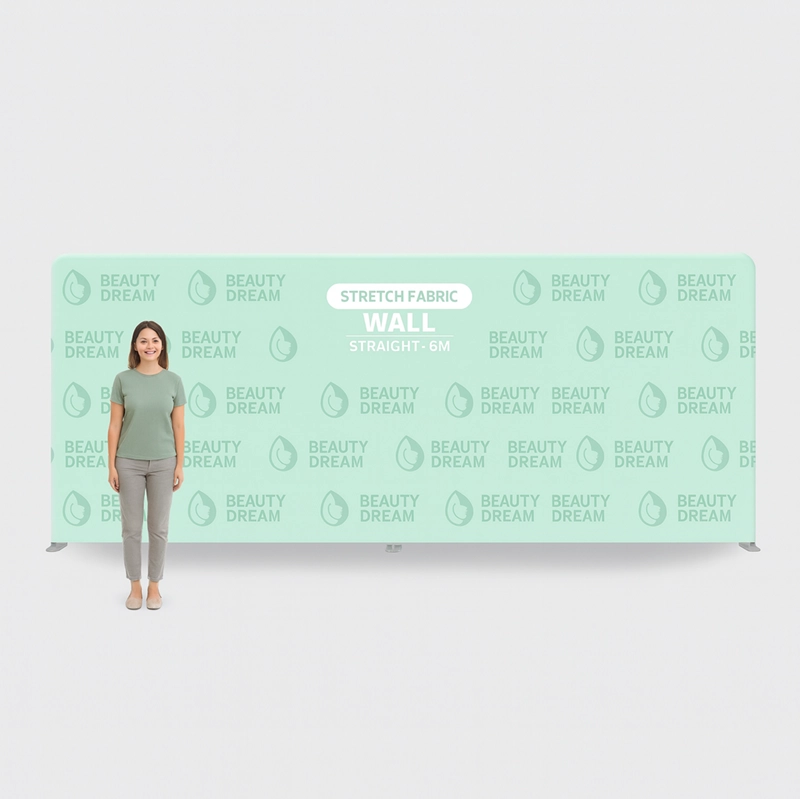
A pillowcase for an aluminium frame. Your artwork is printed into 260gsm stretch polyester, the fabric slides over the frame and zips at the bottom. Flat, seamless, no glare, and it packs into a carry bag.
Widths from 100cm to 600cm, all 230cm tall. Single or double-sided. Machine washable, so one graphic can do a season of shows. Prices and ordering here.
Download your width
| Width | Set your page to | Template |
|---|---|---|
| 100cm | 1:1 or 50% | PDF template |
| 150cm | 1:1 or 50% | PDF template |
| 200cm | 1:1 or 50% | PDF template |
| 240cm | 1:1 or 50% | PDF template |
| 300cm | 1:1 or 50% | PDF template |
| 400cm | 50% | PDF template |
| 500cm | 50% or 25% | PDF template |
| 600cm | 50% or 25% | PDF template |
Every width has a template. The page size, bleed and safe zone are drawn in the PDF; open it and they're the first thing you see. Odd size or a curved frame? Email hello@rapidprintpro.com and we'll send one.
Stretch wall rules
- Stay off the edgesFabric wraps the frame. Nothing important within 150mm of any edge. A logo kissing the edge disappears round the corner.
- Background to the bleedFill the whole page including bleed. A white strip on a stretched fabric edge looks like a mistake because it is one.
- Fabric softens fine linesHairlines, thin type and tiny patterns fuzz on stretch poly. Nothing under 2pt line weight, nothing under 40pt type.
- Think about the middlePeople stand in front of it. Keep the middle metre at chest height free of anything you'd mind a person's head covering in the photo.
- Two sides, two filesDouble-sided with different designs? Two files, named FRONT and BACK. One file uploaded means the same design both sides.
- Resolution150dpi at full size is plenty for fabric seen from a metre away. Export at half size at 300dpi if your software chokes on a six-metre page.
Flags
Dye-sublimated into 115gsm knitted polyester on a fibreglass pole. Three shapes, 2.8, 3.4 or 4.5 metres tall, wind-rated to 22mph with the right base. The colour is in the fabric, not on it, so it survives sun, rain and a 30°C wash.
Flags are the one product where the template really isn't optional: every shape has a curved edge, a pole sleeve down one side and a hem round the outside, and none of those are rectangles. Prices and ordering here.
Pick the shape first
Download your shape and size
Match the size you picked in the configurator, then pick single or double-sided. Single-sided shows through in mirror image from behind; double-sided has a blocker layer and two artwork positions, so it's a different template. All three shapes at a given height share the same pole, so a mixed row lines up.
Feather
Teardrop
Crest
Rectangular
Rectangular flags aren't in the configurator yet. Want one? Email hello@rapidprintpro.com with the size and we'll price it.
Flag rules
- It reads backwards from behindStandard flags are single-sided and the fabric shows through. From the back your text is mirrored. Put the logo where it still works reversed, or keep words to a minimum. True double-sided with a blocker layer is available: email us with size and quantity.
- One logo, one lineA flag is seen for two seconds from ten metres, moving. Anything you'd need to stop and read won't get read.
- Colour does the workDye-sub loves saturated colour. A solid brand colour with a white logo beats a busy photo every time. Avoid light pastels on a white sky.
- Sleeve and hem are dead spaceThe template shows both. Design into them and the pole or the stitching eats it.
- Curved edge, straight logoDon't rotate the logo to follow the curve. Keep it level; the flag moves, the logo shouldn't.
- Resolution150dpi at full size. Export from the original, not a WhatsApp forward or a screenshot.
Bases, for the record
Not an artwork thing, but it's the next question every time. Ground spike for grass and soil. Cross base for hard floors indoors. Water base for hard ground outdoors. If you can't stab it, weigh it.
Questions
I don't have Illustrator or InDesign. Can I still use the template?
Open the PDF in anything: Affinity, Canva (import as a page), Photoshop, even Preview. Design over it, delete or hide the guide layer, export as PDF. Or set a blank canvas to the sizes on this page and upload that; we'll place it.
Can I send artwork at half size?
Yes for stretch walls: half size at 300dpi scales cleanly. For flags, full size is better because the curved template has to line up exactly; if half is all you can manage, keep the proportions and we'll do the rest.
What file type?
PDF, ideally PDF/X-1a with transparency flattened. AI, EPS and a high-res JPEG or PNG are fine. Fonts outlined or embedded. We'll tell you before printing if something won't work.
What if my logo runs over the safe zone?
We'll flag it before we print and offer to nudge it. If you'd rather it stays, that's your call and we'll print it as supplied. The template exists so it's a choice, not a surprise.
Does colour on screen match the fabric?
Close, not identical. Screens are backlit; fabric isn't. Bold, saturated colours land well on both stretch poly and flag knit. Very light tints and greys go softer. If a brand colour is critical, send us the Pantone reference and we'll get as close as the process allows.
How fast?
Stretch walls: order by 3pm, choose "I need it tomorrow". Flags run on an 11am cutoff because fabric takes longer on press. Same-day courier in London from £45, free collection from Tabard Street SE1, next day UK-wide £6.99. Event tomorrow and you've missed the cutoff? Ring 020 7078 0380 before you panic.
Can you just design it for me?
Yes. Upload your logo, the message and any brand colours, pick the product and size, and add "please set up" in the notes. Our artwork team lays it out in the template and sends you a proof to approve before it prints.
Template downloaded. Now the fun part.
Pick your size, upload, and a human checks it before a metre of fabric runs.